ModCraft
HomeBrowse ModsHow to InstallAbout
ModCraft

Discover and download the best Minecraft mods powered by the Modrinth API. Fast, safe, and always up to date.

Built with for the Minecraft community

Explore

  • Home
  • Browse Mods
  • How to Install
  • About ModCraft

Legal

  • Privacy Policy
  • Terms of Service
  • Contact Us

© 2026 ModCraft. Mod data provided by Modrinth.

Not affiliated with Mojang Studios
Home/Mods/Shulker Box Tooltip
Shulker Box Tooltip icon

Shulker Box Tooltip

View the contents of shulker boxes from your inventory

storageutility

Downloads

24.1M

Followers

8,554

Updated

4 days ago

License

MIT License

Download v5.2.18+26.1-neoforge(378.29 KB)neoforge • 26.1
Source Wiki Issues

Key Highlights

Supports neoforgeMinecraft 26.1v5.2.18+26.1-neoforge24.1M downloads

Logo

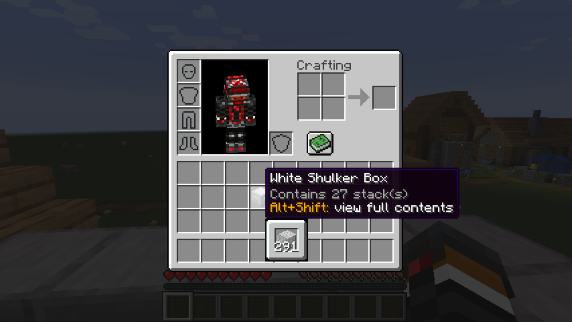
This mod allows you to see a preview window of a shulker box contents when hovering above it in an inventory by pressing `shift`.

**Supports both Fabric and Forge**

On Fabric:

Fabric Loader and Fabric API are required Mod Menu is recommended (but not required) for in-game configuration

**Features:**

Compact Preview

Press `shift` (by default) while hovering an item. Compact Preview

Full Preview

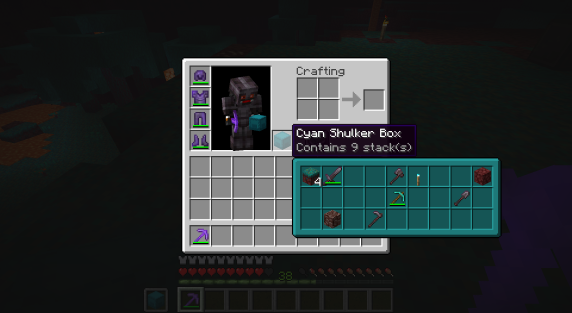
Press `alt+shift` (by default) while hovering an item to shows its full contents where each contained stack is displayed in the correct slot. Full Preview

Other Containers

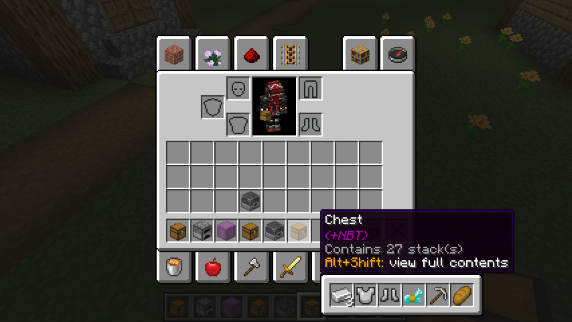
The preview also works with items obtained in creative mode using control + pick block such as chests, furnaces, barrels, etc... Works with most modded containers as well. Other Containers Preview

Loot Tables

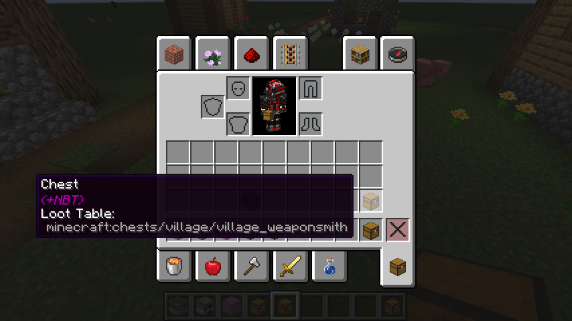
The name of the loot table is displayed in the tooltip if the hovered item as one. This option is disabled by default. Loot Table Info

Configurability

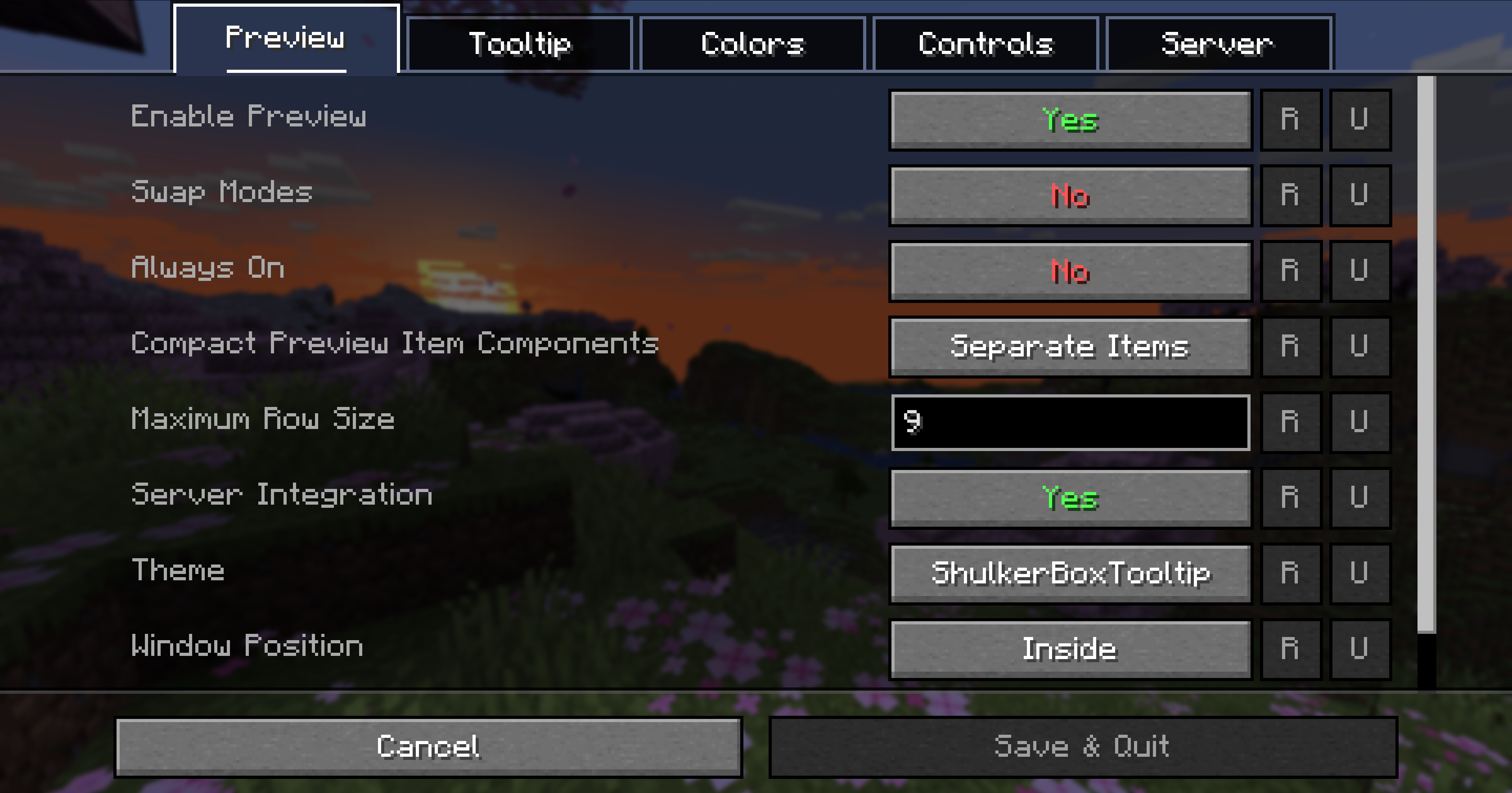
Most aspects of the mod can be configured through the config menu. To access it, in the mod menu select `ShulkerBoxTooltip` and then click on the gear icon. See the in game documentation or the wiki for info about each option. The config file can be found at `/config/shulkerboxtooltip.json5` Config Screen

Colors!

The color of the preview window changes depending on the color of the shulker box, you can disable it in config.

Server support

The mod can also be installed server-side (optional) to provide extra features such as ender chest preview.

Similar Mods

FerriteCore icon

FerriteCore

Memory usage optimizations

fabricforgeneoforge+3
99.3M0N/A
Mod Menu icon

Mod Menu

Adds a mod menu to view the list of mods you have installed.

fabricquiltutility
92.2M0N/A
YetAnotherConfigLib (YACL) icon

YetAnotherConfigLib (YACL)

A builder-based configuration library for Minecraft!

fabricforgelibrary+4
77.7M0N/A
Xaero's Minimap icon

Xaero's Minimap

Displays a map of the nearby world terrain, players, mobs, entities in the corner of your screen. Lets you create waypoints which help you find the locations you've marked.

adventurefabricforge+4
71.8M0N/A
[ETF] Entity Texture Features icon

[ETF] Entity Texture Features

Emissive, Random & Custom texture support for entities in resourcepacks just like Optifine but for Fabric

decorationfabricforge+3
67.4M0N/A
Xaero's World Map icon

Xaero's World Map

Adds a full screen world map which shows you what you have explored in the world. Works great together with Xaero's Minimap.

adventurefabricforge+4
63.9M0N/A
[EMF] Entity Model Features icon

[EMF] Entity Model Features

EMF is an, OptiFine format, Custom Entity Model replacement mod available for Fabric and Forge.

decorationfabricforge+4
63.6M0N/A
Sodium Extra icon

Sodium Extra

A Sodium addon that adds features that shouldn't be in Sodium.

cursedfabricneoforge+3
63.0M0N/A