ModCraft
HomeBrowse ModsHow to InstallAbout
ModCraft

Discover and download the best Minecraft mods powered by the Modrinth API. Fast, safe, and always up to date.

Built with for the Minecraft community

Explore

  • Home
  • Browse Mods
  • How to Install
  • About ModCraft

Legal

  • Privacy Policy
  • Terms of Service
  • Contact Us

© 2026 ModCraft. Mod data provided by Modrinth.

Not affiliated with Mojang Studios
Home/Mods/Model Gap Fix
Model Gap Fix icon

Model Gap Fix

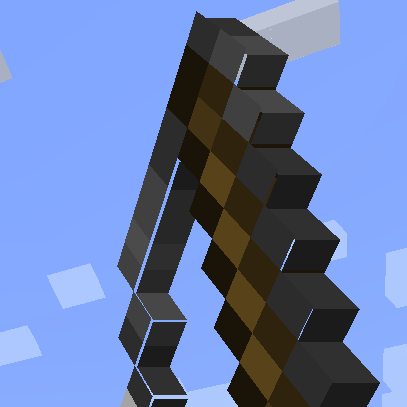
Fixes gaps in Block Models and Item Models

optimizationutility

Downloads

25.9M

Followers

3,776

Updated

6 months ago

License

GNU General Public License v3.0 only

Download v1.21.10-1.12(64.87 KB)fabric • 1.21.10
Source

Key Highlights

Supports fabricMinecraft 1.21.10v1.21.10-1.1225.9M downloads
Model Gap FIX   This is a simple client mod that fixes https://bugs.mojang.com/browse/MC-73186 which affects both Block Models and Item Models and possibly other models too   The mod works by removing texture zooming, making every model face use 100% of its texture, unlike of what it did previoulsly. Thisnot only fixes this bugs on items (where it's most noticeable) but with block models too and everything else that might use those functions.   This issue was especially noticeable with custom block models or some 2d items.     Q&A: - Will this slow down my game?  Not at all! Removing texture zooming just removes some code and has no impact. If you however want to be nit picky the mod also slightly tweaks item models in a way that could add a ouple more quads for concave item textures compared to vanilla so in that case it could very slightly worse that vanilla. This is however negligible and could only be an issue when trying to run high resolution packs - How does this work? The base fix is simply removing texture zooming. This is extremly simple to do and immediately "fixes up" all those problematic gaps on models. For 2d item models something else is needed as this alone creates another kind of tiny gaps in them due to the way they are generated, quad by quad. These are very tiny and they flicker so I had to fix those too. To do so I've changed the item model generator to never create a quad that encompasses a transparent pixel and instead create multiple quads for each row of solid pixel in the same direction. This allows me to slightly increase the size of all these side quads without creating new gaps in the process, thus covering all gaps seamlessly. Note that this last part only applies to forge as fabric does not seem to have such tiny lines and the models work right away with no extra quad  

Similar Mods

Sodium icon

Sodium

The fastest and most compatible rendering optimization mod for Minecraft. Now available for both NeoForge and Fabric!

fabricneoforgeoptimization+1
138.5M0N/A
Iris Shaders icon

Iris Shaders

A modern shader pack loader for Minecraft intended to be compatible with existing OptiFine shader packs

decorationfabricneoforge+2
107.6M0N/A
Entity Culling icon

Entity Culling

Using async path-tracing to hide Block-/Entities that are not visible

babricfabricforge+3
99.6M0N/A
FerriteCore icon

FerriteCore

Memory usage optimizations

fabricforgeneoforge+3
99.3M0N/A
Mod Menu icon

Mod Menu

Adds a mod menu to view the list of mods you have installed.

fabricquiltutility
92.2M0N/A
Lithium icon

Lithium

No-compromises game logic optimization mod. Well suited for clients and servers of all kinds. Now available for Fabric and NeoForge!

fabricneoforgeoptimization+1
83.8M0N/A
ImmediatelyFast icon

ImmediatelyFast

Speed up immediate mode rendering in Minecraft

fabricforgeneoforge+2
81.3M0N/A
YetAnotherConfigLib (YACL) icon

YetAnotherConfigLib (YACL)

A builder-based configuration library for Minecraft!

fabricforgelibrary+4
77.7M0N/A
