
Iris Shaders
A modern shader pack loader for Minecraft intended to be compatible with existing OptiFine shader packs
decorationfabricneoforge+2
107.6M0N/A

Render the player skin layer in 3d!
Downloads
47.4M
Followers
9,686
Updated
2 days ago
License
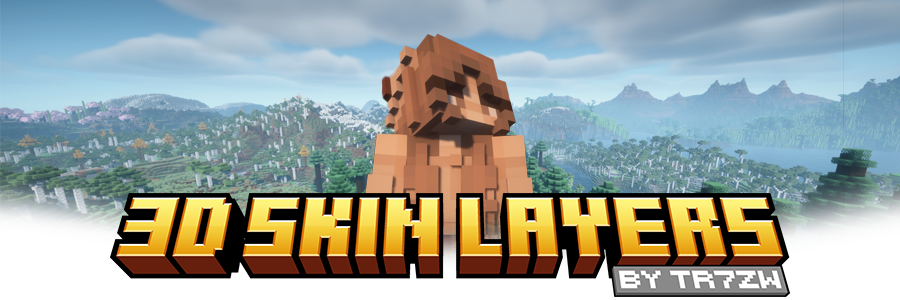



 **Replaces the normally flat second layer of player skins with a fully 3D-modeled version.**
The mod automatically switches back to vanilla-style 2D rendering when players are more than 12 blocks away, helping maintain high framerates. It also supports transparent elements - perfect for glasses, visors, or other cosmetic details!
Since this mod is purely visual and entirely client-side, **it doesn't need to be installed on servers** and works seamlessly in any environment.
**Replaces the normally flat second layer of player skins with a fully 3D-modeled version.**
The mod automatically switches back to vanilla-style 2D rendering when players are more than 12 blocks away, helping maintain high framerates. It also supports transparent elements - perfect for glasses, visors, or other cosmetic details!
Since this mod is purely visual and entirely client-side, **it doesn't need to be installed on servers** and works seamlessly in any environment.
 Give your player skin the depth it deserves—with style and performance in mind.

 | Minecraft | Loader | Status | Version | Note |
| ------------ | ---------------------- | --------------- | -------- | ---------------------------------------------------- |
| 1.16.5+ | Fabric/Forge*/NeoForge | ✅ Supported | Latest | |
| *1.16.5 | Forge | ⚠️ Unsupported | Outdated | Unsupported, until it gets support for JarInJar mods |
| 1.12.2/1.8.9 | Forge | ❌ Not supported | Outdated | Might get new updates at some point |
| Mod | Status | Note |
| ------------------------- | ----------------- | ----------------------------------------------------------------------------------------- |
| Essential | ✅ Supported | |
| Shoulder Surfing Reloaded | ✅ Supported | |
| Player Animator | ✅ Supported | This means mods that use it like Better Combat and Emotecraft |
| CustomSkinLoader | ⚠️ Partial support | Requires this helper mod |
| Lunar Client | ❌ Not supported | Will never get support! |
| Minecraft | Loader | Status | Version | Note |
| ------------ | ---------------------- | --------------- | -------- | ---------------------------------------------------- |
| 1.16.5+ | Fabric/Forge*/NeoForge | ✅ Supported | Latest | |
| *1.16.5 | Forge | ⚠️ Unsupported | Outdated | Unsupported, until it gets support for JarInJar mods |
| 1.12.2/1.8.9 | Forge | ❌ Not supported | Outdated | Might get new updates at some point |
| Mod | Status | Note |
| ------------------------- | ----------------- | ----------------------------------------------------------------------------------------- |
| Essential | ✅ Supported | |
| Shoulder Surfing Reloaded | ✅ Supported | |
| Player Animator | ✅ Supported | This means mods that use it like Better Combat and Emotecraft |
| CustomSkinLoader | ⚠️ Partial support | Requires this helper mod |
| Lunar Client | ❌ Not supported | Will never get support! |

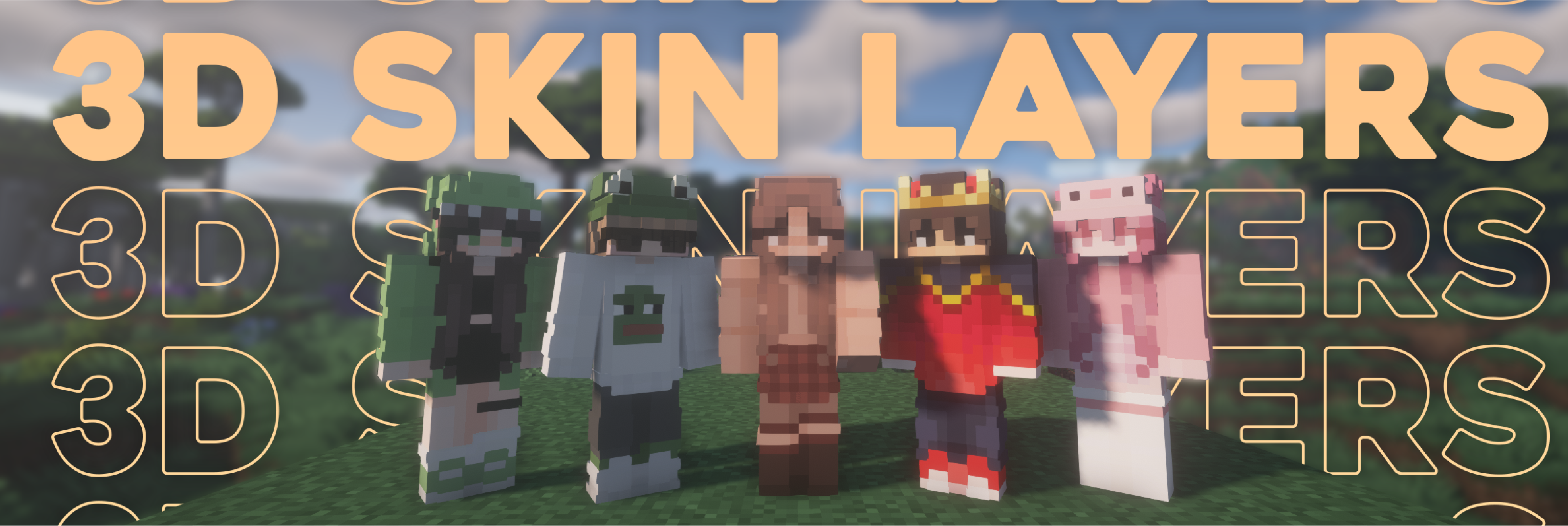
 - Because the outer layer is slightly larger than the player model, some skins may not align perfectly in 3D.
- ZigZag patterns around corners will join up. This down to the math of making it 3d, but it can be somewhat prevented by placing slightly transparent pixels into the holes.
- With shaders, some body part layer sides have weird shadows. I am trying to get this resolved.
- Because the outer layer is slightly larger than the player model, some skins may not align perfectly in 3D.
- ZigZag patterns around corners will join up. This down to the math of making it 3d, but it can be somewhat prevented by placing slightly transparent pixels into the holes.
- With shaders, some body part layer sides have weird shadows. I am trying to get this resolved.
 👤 Thanks to the awesome translators and contributors on Github!

A modern shader pack loader for Minecraft intended to be compatible with existing OptiFine shader packs

Displays a map of the nearby world terrain, players, mobs, entities in the corner of your screen. Lets you create waypoints which help you find the locations you've marked.
![[ETF] Entity Texture Features icon](https://cdn.modrinth.com/data/BVzZfTc1/af683d206d50b05258d865b0d6e4aa2f2cee12f2_96.webp)
Emissive, Random & Custom texture support for entities in resourcepacks just like Optifine but for Fabric

Adds a full screen world map which shows you what you have explored in the world. Works great together with Xaero's Minimap.
![[EMF] Entity Model Features icon](https://cdn.modrinth.com/data/4I1XuqiY/6e5bbd0d06b1741bfdab6c0cfab6de8fdaf0064c_96.webp)
EMF is an, OptiFine format, Custom Entity Model replacement mod available for Fabric and Forge.

Bringing first-person animations to the third-person

A Minecraft mod that allows for efficient connected textures
Render the player skin layer in 3d!